
Turn Your Selfie into Female Draco
Upload a selfie and get a female Draco-inspired Malfoid character that keeps your face shape, eyes and skin tone. Solo or duo, anime, manga or painterly.
02 / YOUR CREATIVE STUDIO
Turn your selfie into Malfoid
Upload one clear selfie. Solo makes you Malfoid; Duo puts you and a friend in one picture — one as Malfoid, one as her messy-haired rival.
How it keeps your face
Your photo goes to the image model as an identity reference, with instructions to keep your face shape, eye shape, skin tone, apparent age and accessories such as glasses while changing the hair, uniform, style and scene. The result is always an illustration, never an edited photo. Likeness depends on the photo: a sharp, front-facing face works best.
What to upload
- One face, looking at the camera, filling at least a third of the frame.
- Even daylight or soft indoor light, with no harsh shadows across the eyes.
- No beauty filters, masks or sunglasses. Glasses are fine.
- Only photos of yourself, or of a friend who agreed to it.
Before and after
The example uses a fictional AI-generated person; the result was made with ChatGPT's image model.
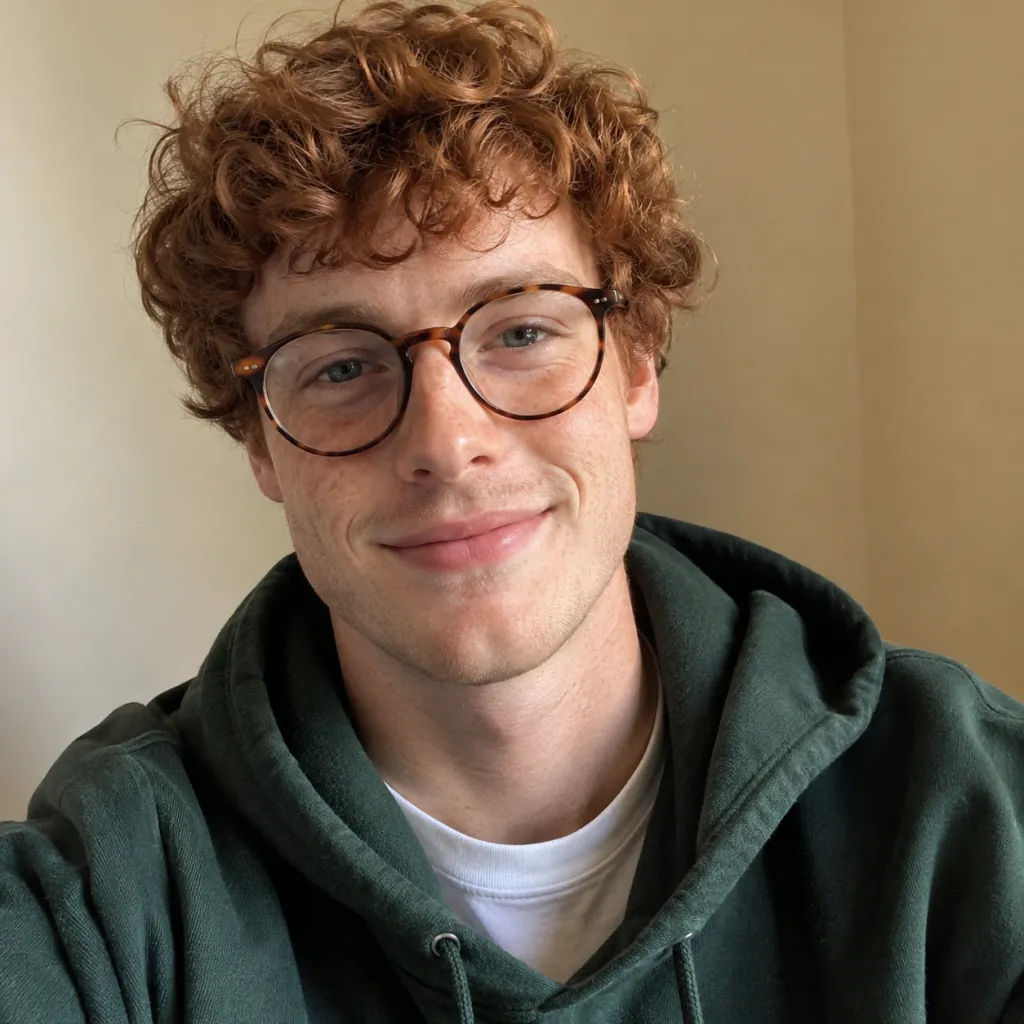
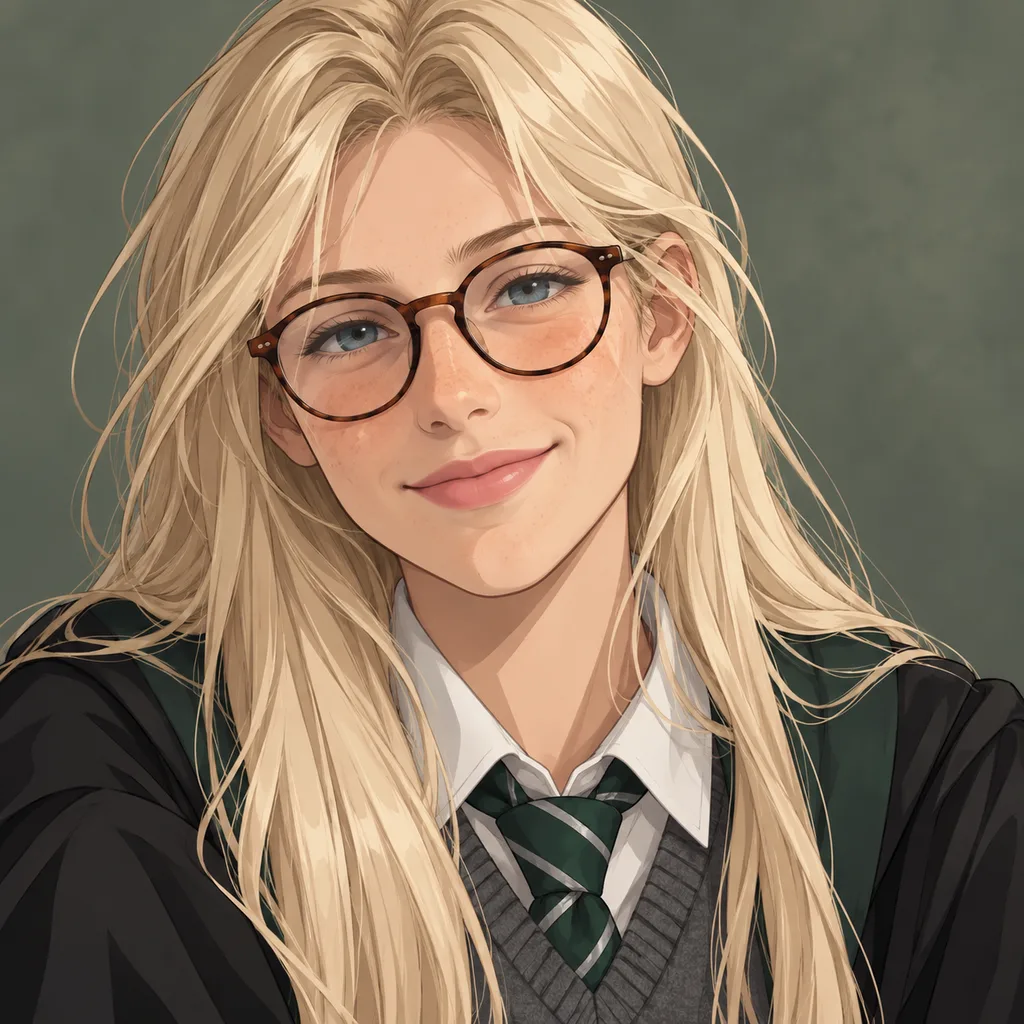
From your iPhone in three steps
- Take a selfie with the front camera in good light, or pick one from Photos.
- Open this page in Safari, tap Upload image and choose the photo. Safari converts HEIC photos to JPG for you.
- Pick a style, tap Generate, then long-press the result to save it to Photos.
Privacy
Uploaded selfies are used only to make your image and are deleted after __ hours. We never use them to train AI models. Your generated images are saved to your account history.